
Occupancy & tenant flow
How people really use your buildings.
- Live occupancy against capacity
- Footfall per entrance
- Space utilisation by hour
- Movement heatmaps
Facility Management
Occupancy, tenant flow, cleaning and maintenance compliance, and perimeter integrity — for offices, campuses, public buildings and portfolios.
We connect to the cameras and systems you already run and add the analytics on top — from a single building to a portfolio, with every site processing its own video on its own hardware.
What we build for you
Built on our computer-vision and agentic-AI toolkit and tailored to each engagement.
How people really use your buildings.
Evidence that the work was done.
Secure buildings after hours.
Find faults before tenants report them.
In the software
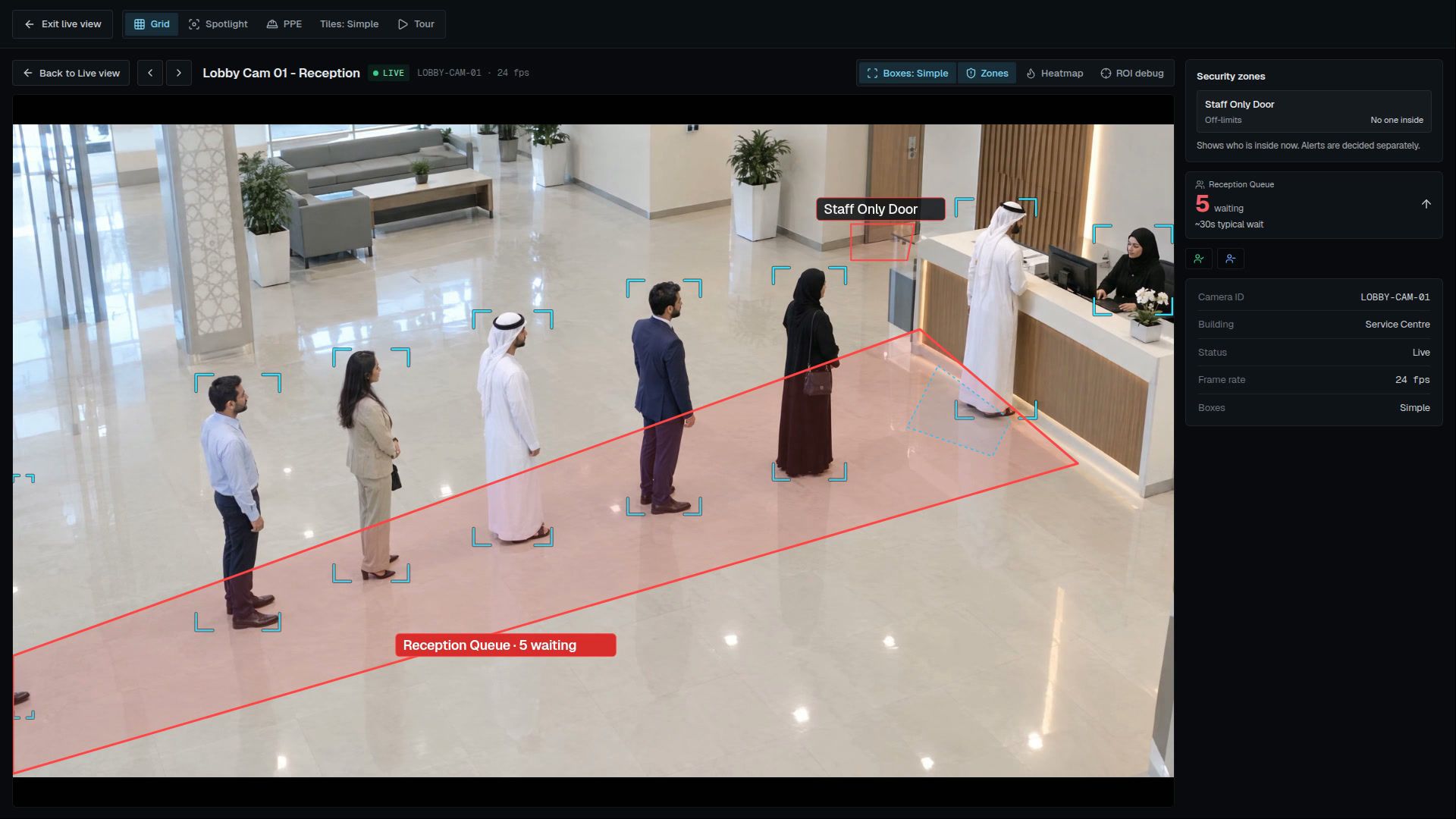
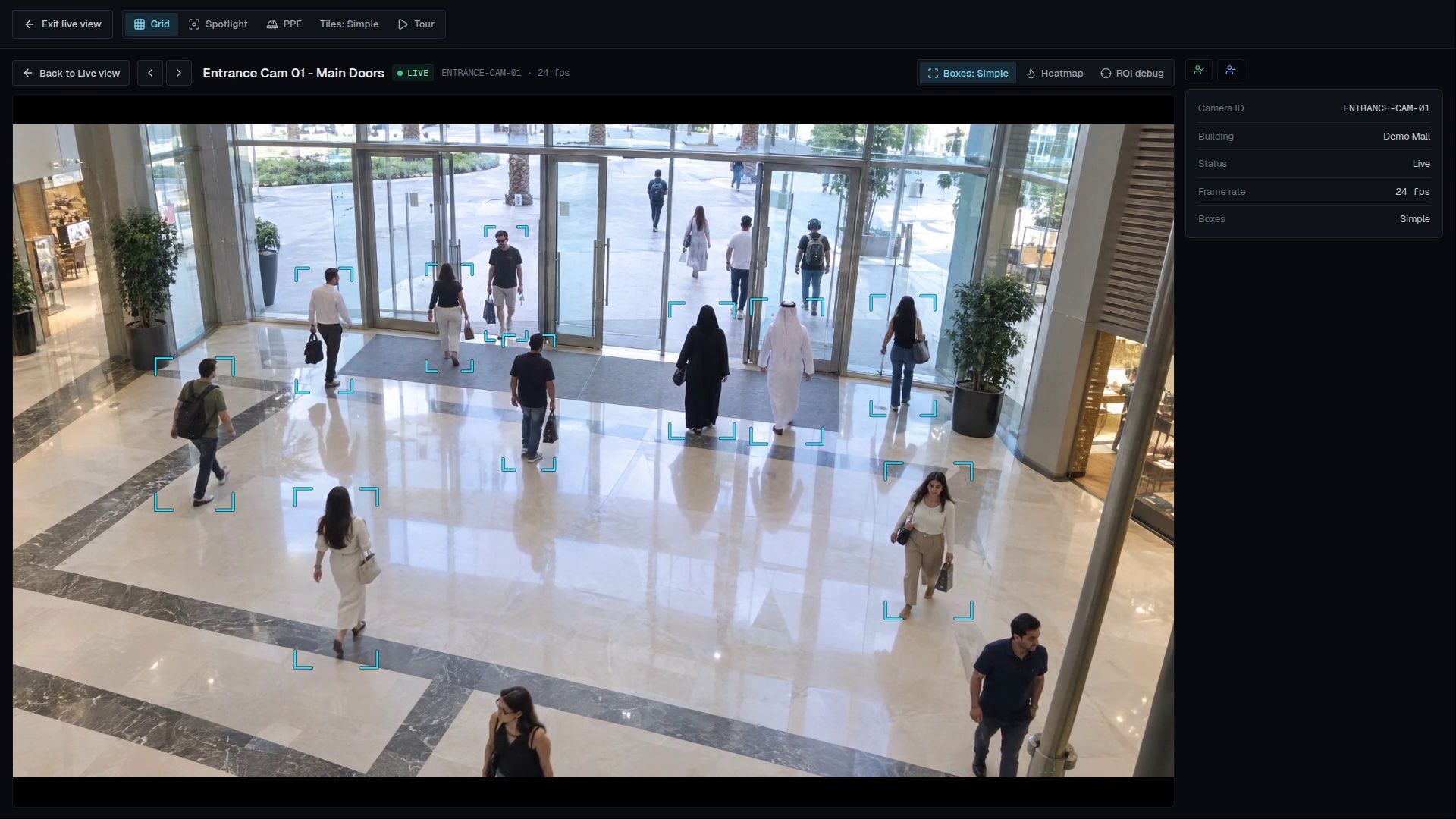
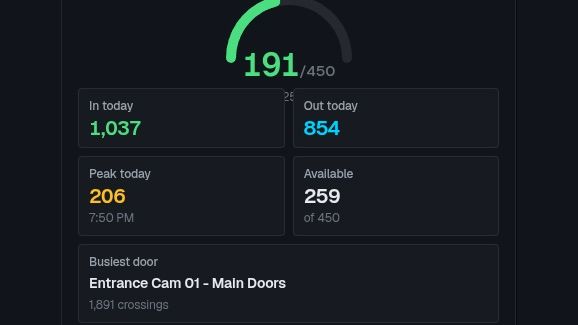
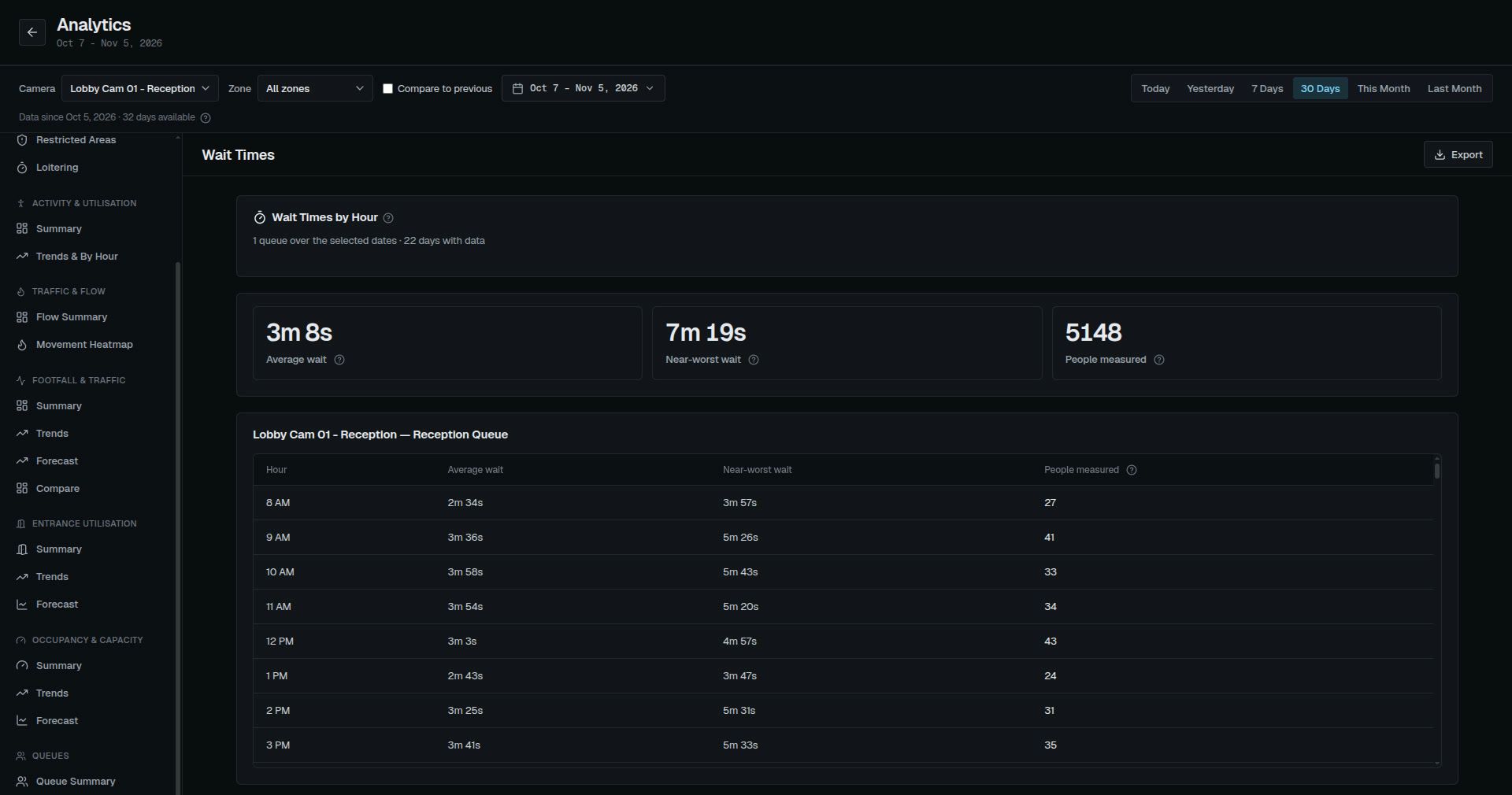
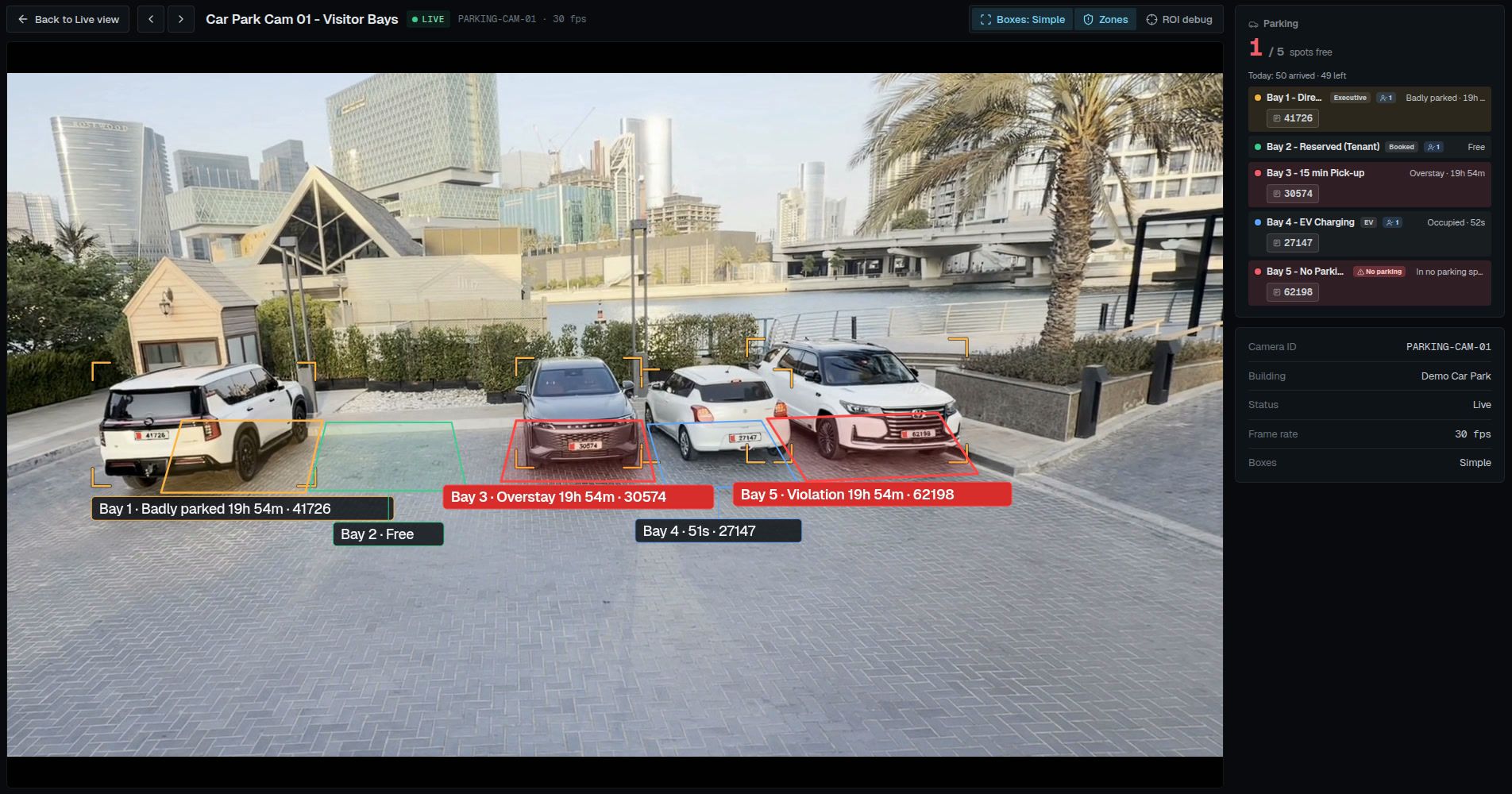
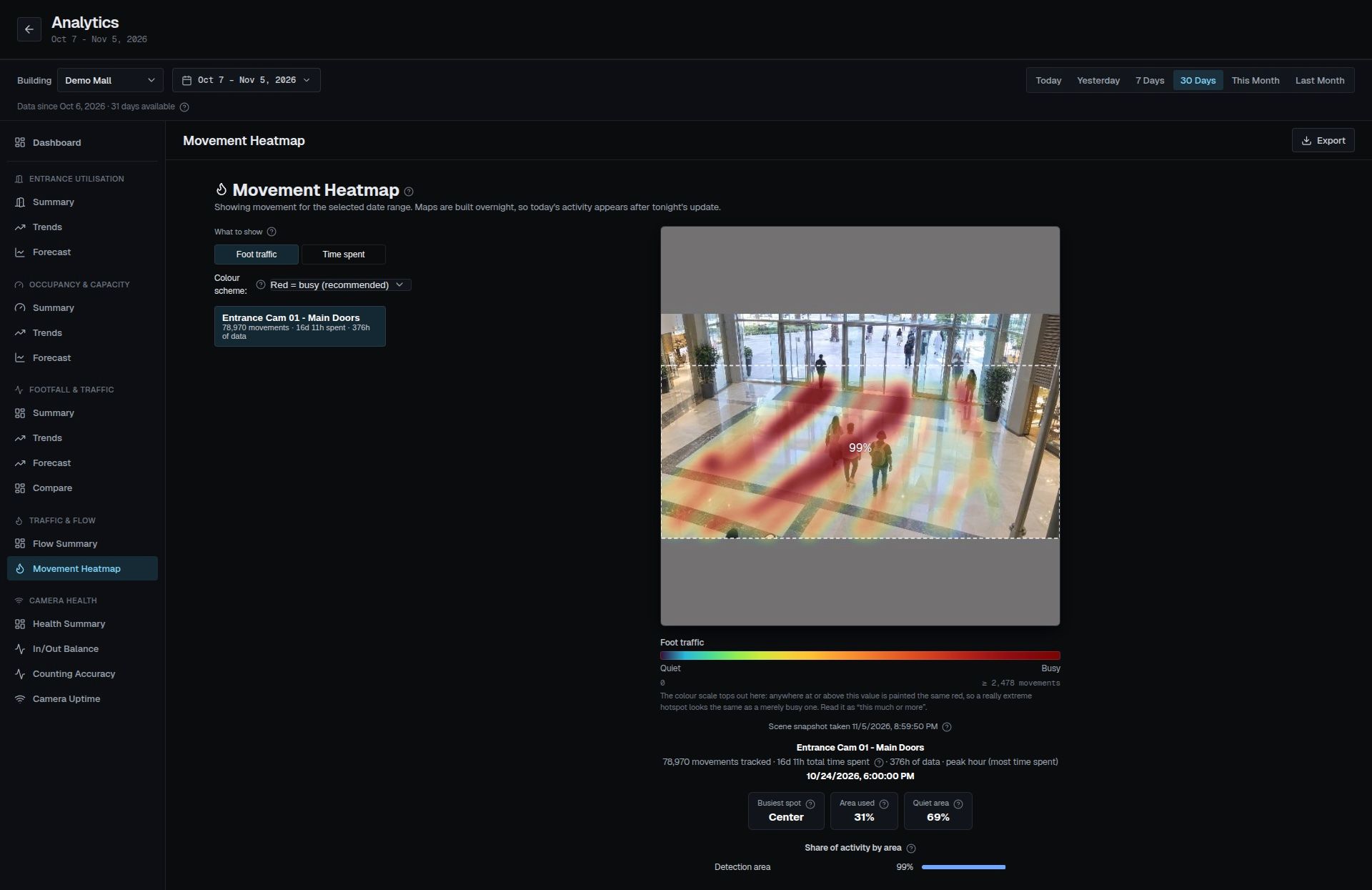
Real AI Watch screens. Only the camera footage is AI-generated, for the demo and for privacy — every detection, count and alert is produced by the software.
In practice
Illustrative examples of how the modules work together.
The vision model flags it for the facilities team before it becomes a problem.
A crowding alert reaches the floor manager so another till can open.
A crowding alert reaches the duty manager so another desk can open.
An alert reaches security while the car is still there.
A restricted-area alert fires and is texted to security — even with no internet.
Activity reports show time spent per zone, by hour and by shift.
AI Watch
Line-crossing counts and live occupancy against capacity. Three counting modes, up to 10 lines per camera, 95%+ accuracy on a well-placed camera.
Queue length, wait times and alerts for counters, check-outs and service halls.
Instant intrusion alerts on forbidden zones, on the schedules you set.
Bay-by-bay occupancy across six bay types: badly parked, time limits, no-parking and wrong-car alerts, sessions and a one-year history.
How long people spend in each zone — still or moving, by shift and by hour, with entries per space.
Our own fine-tuned vision-language model makes the final check on every alert, and Sara answers questions in plain English.
Ready to start?
Start with one building, then roll out across the portfolio.
We would like to use Google Analytics cookies to understand how visitors use this site. No data is sent to Google unless you agree. Privacy policy