
Danger zones
- Alerts for exclusion zones
- Schedules per zone
- Loitering in sensitive areas
- Instant SMS to the supervisor
AI Watch · Danger zones
A warning when someone nears a no-go area, an alert when they step inside — around excavators, excavation edges, plant rooms and compounds after hours, on the cameras you already have.
Danger zones · restricted areas
Draw no-go areas on the camera picture: around a working excavator, along an excavation edge, around a materials compound after hours. AI Watch warns when someone reaches the outer ring, raises an alert when they step inside, and flags anyone who stands still in one spot for too long.
100% real AI Watch software, running in real time Only the camera footage is AI-generated — for the demo, and to protect people’s privacy.
Every zone can have an outer warning ring. Reaching the ring is an early signal, worth a glance. Stepping inside is a confirmed alert, worth acting on, and it can reach the supervisor by SMS.
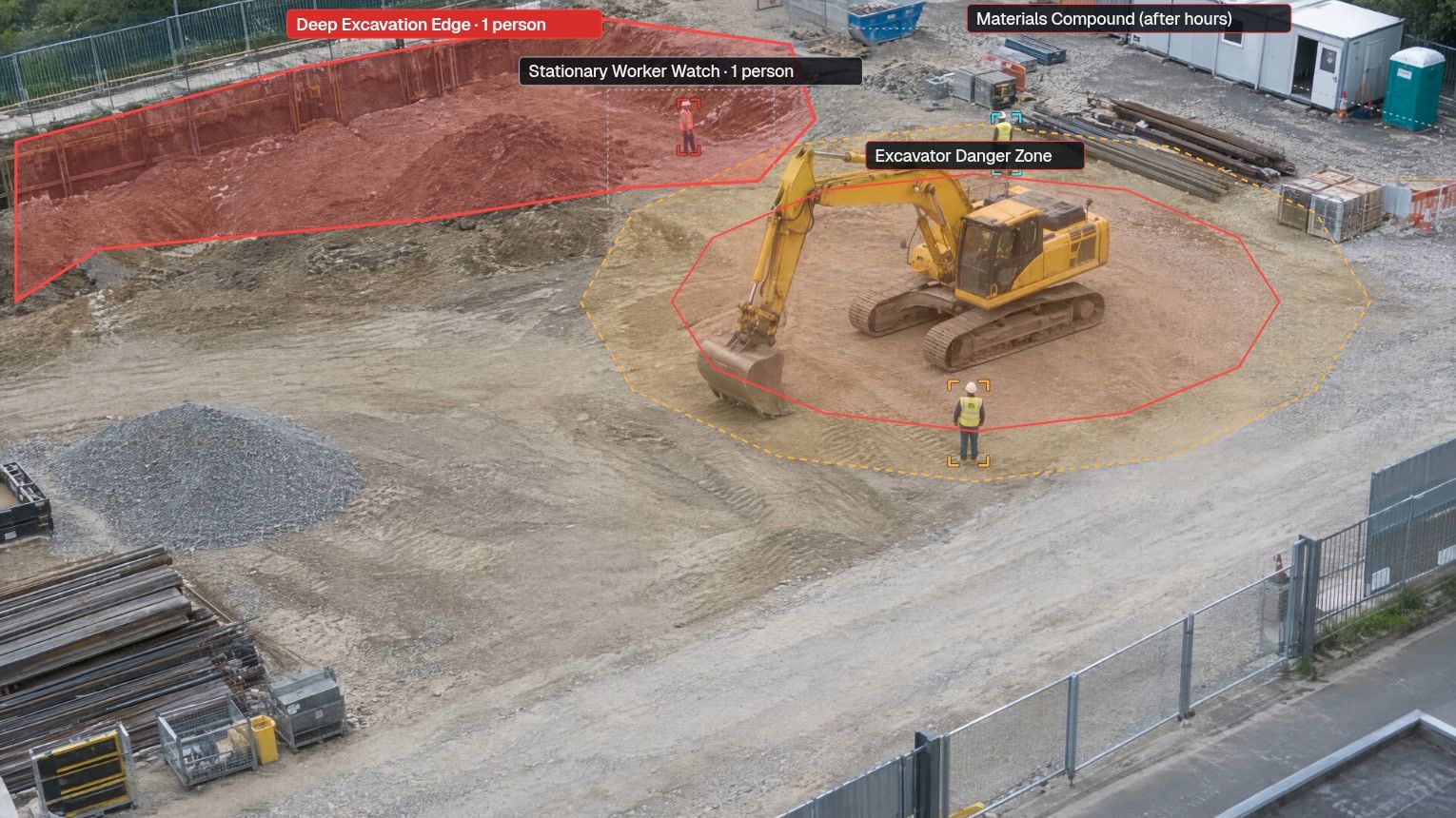
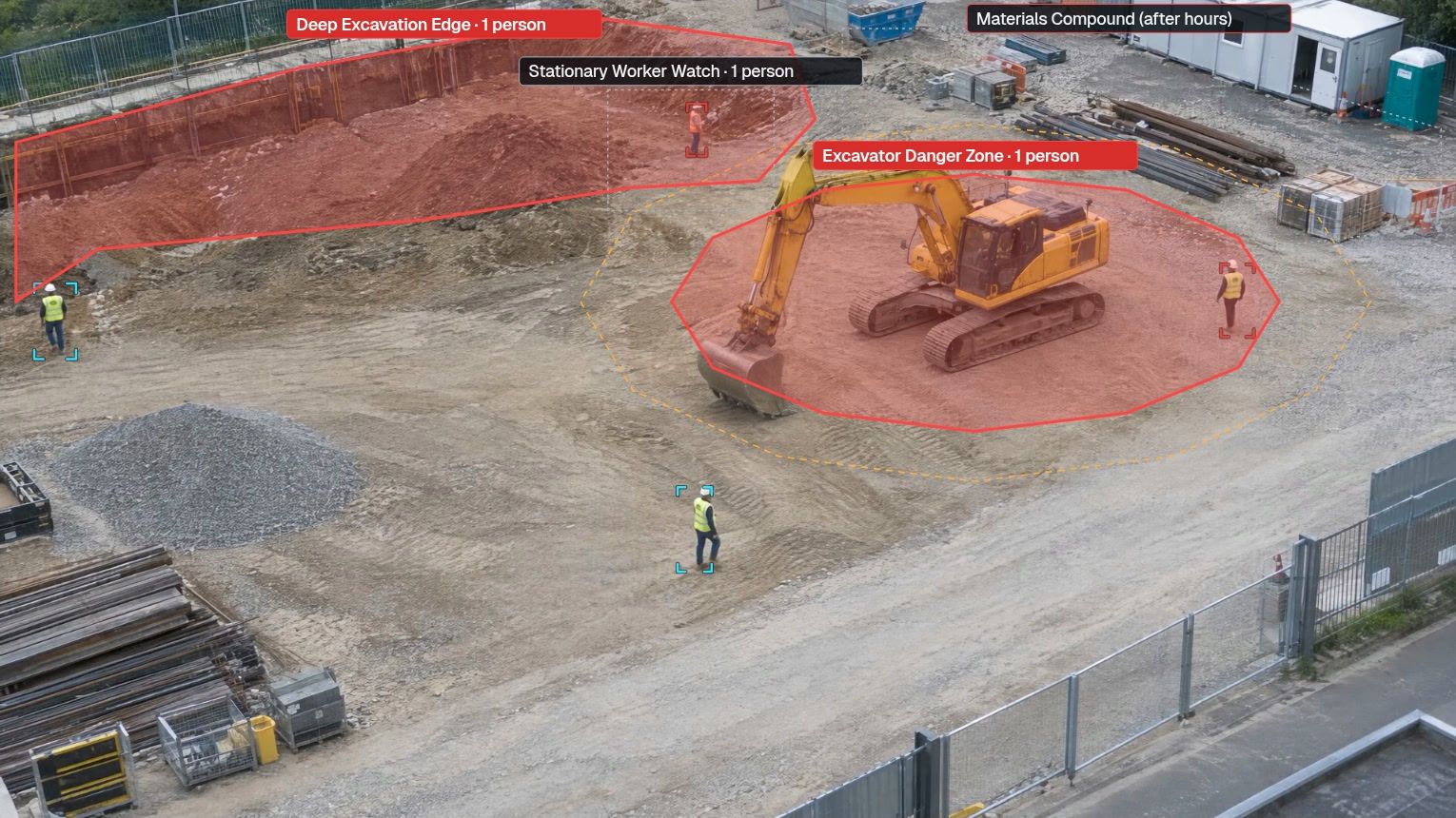
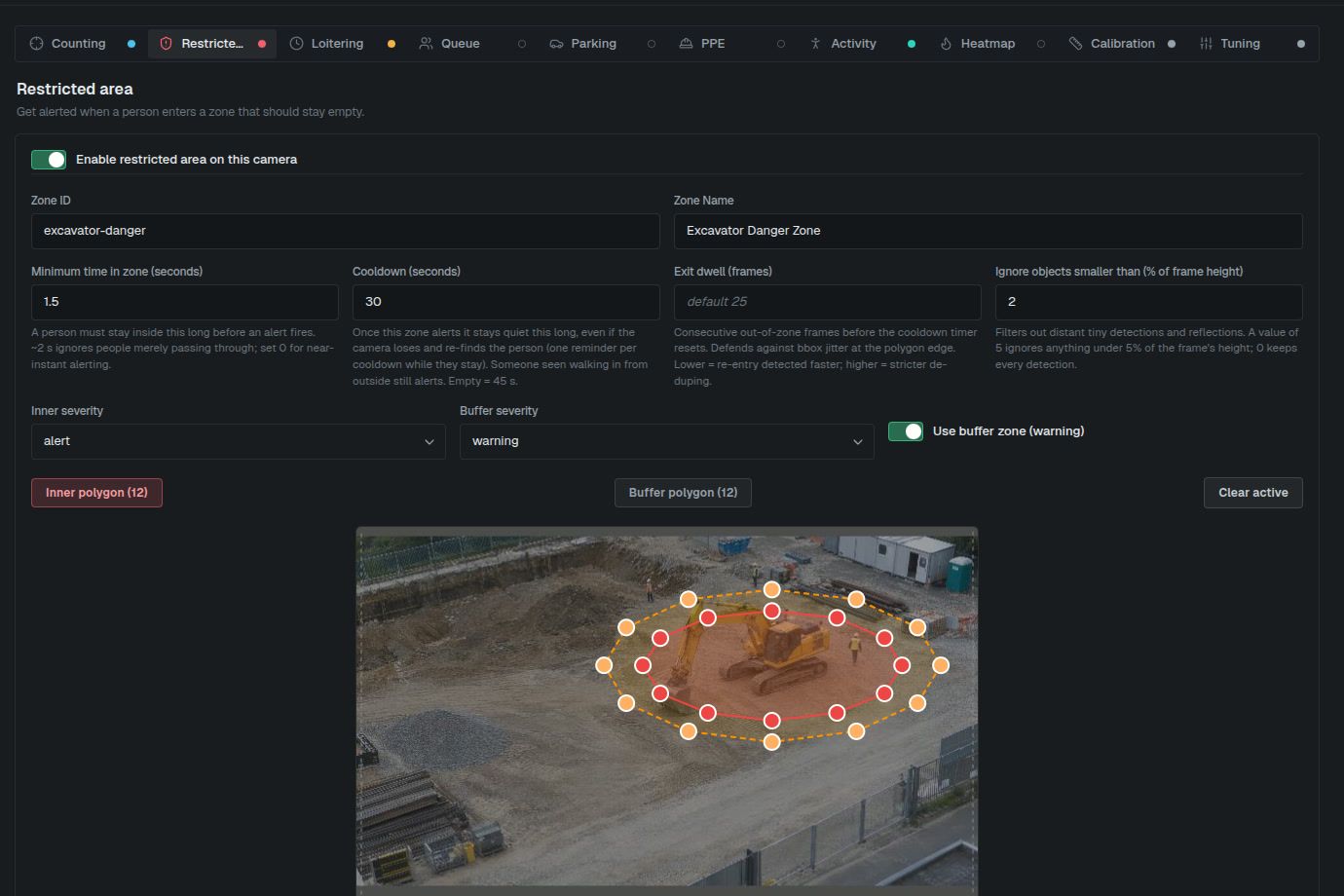
Each zone is drawn on the camera picture, with an inner area and a warning ring. You set how long someone must stay before an alert, a quiet time between repeat alerts, which tiny detections to ignore, and when the zone is active.
Our approach
Each zone is drawn straight on the camera picture and gets its own rule: off-limits, a warning ring, a schedule, or a watch for people standing still. People are detected, never identified — there is no face recognition, and everything runs on one server on site.
The challengeWorkers walk into crane and excavation zones.
With AI WatchDanger-zone alerts with an approach warning, sent to the supervisor.
The challengePeople walk into forklift and loading areas.
With AI WatchRestricted zones with an approach warning before the breach, and an instant alert.
The challengePlant rooms, stores and yards are left unwatched after hours.
With AI WatchZones with schedules — active only when needed, with SMS alerts even with no internet.
The challengeSomeone lingers by a fence or a door for too long.
With AI WatchStand-still alerts for anyone who stays in one spot longer than you allow.
In the software
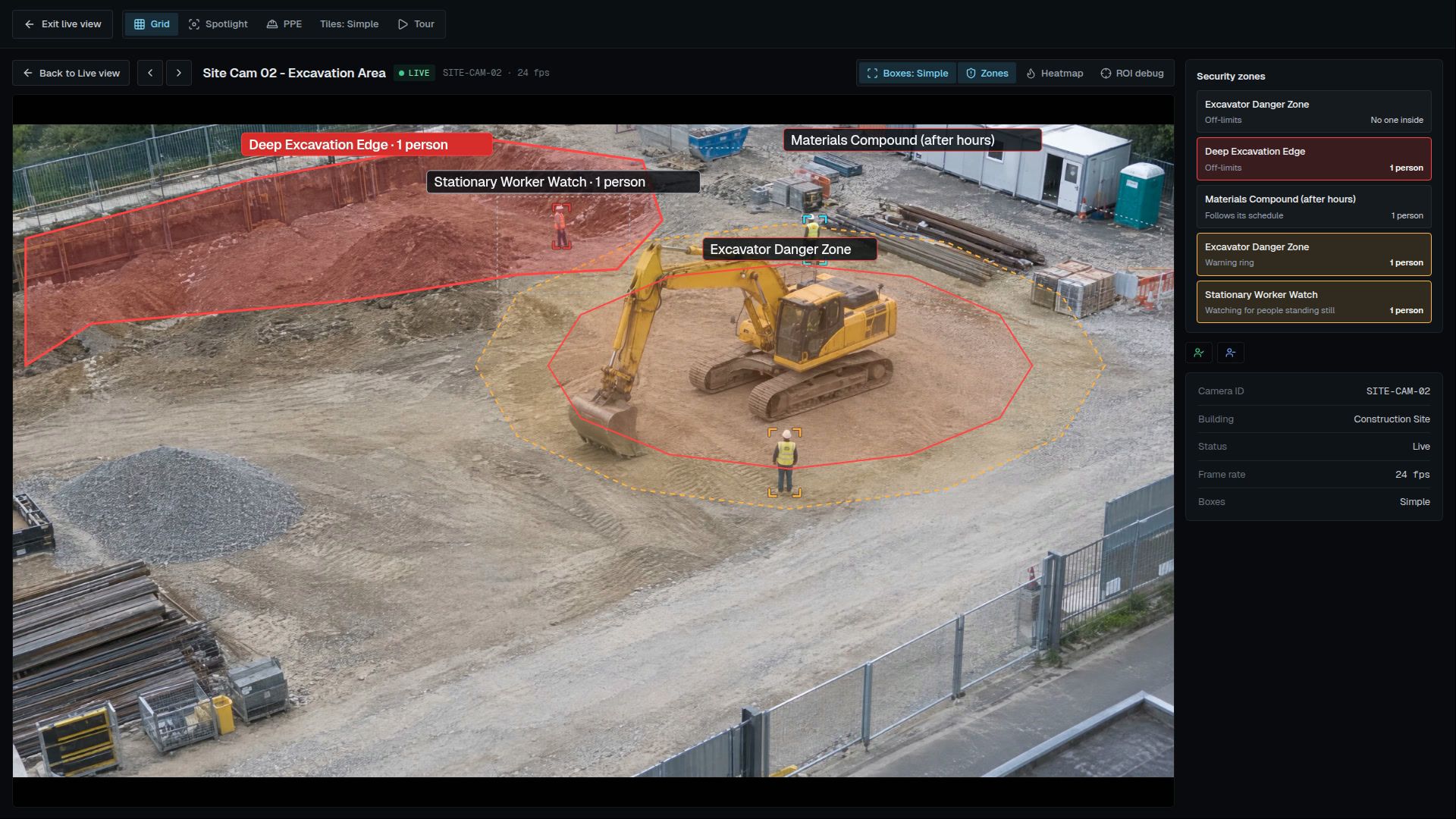
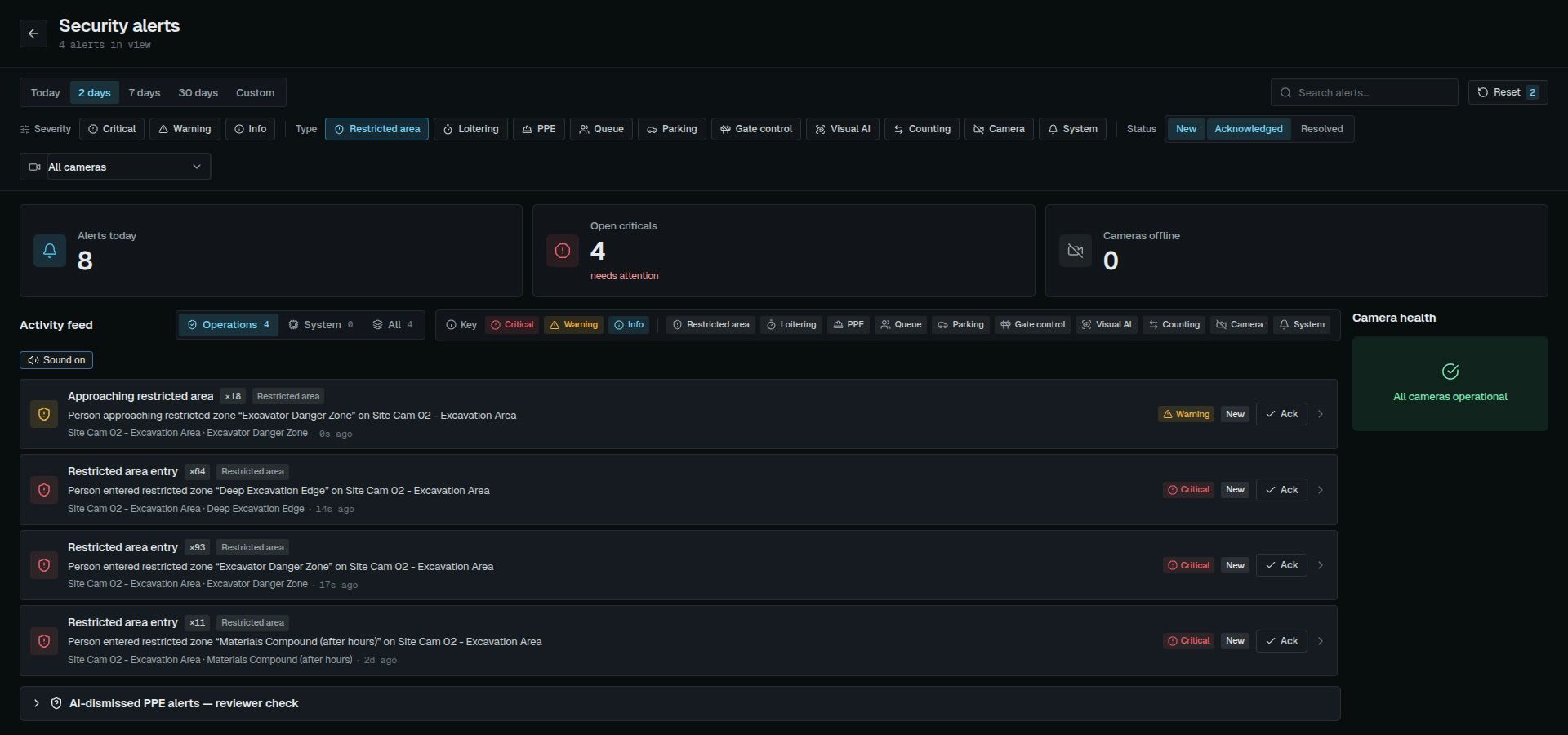
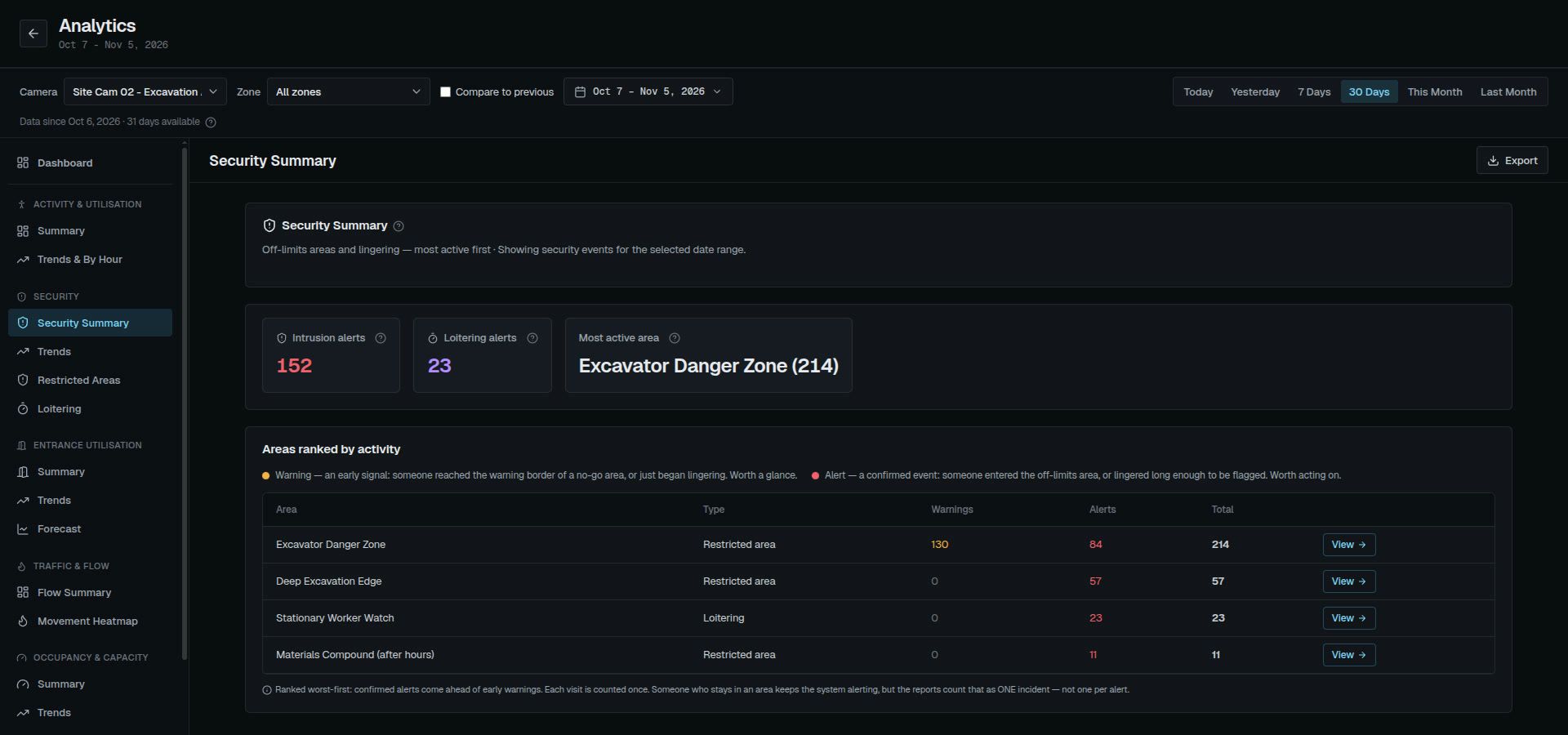
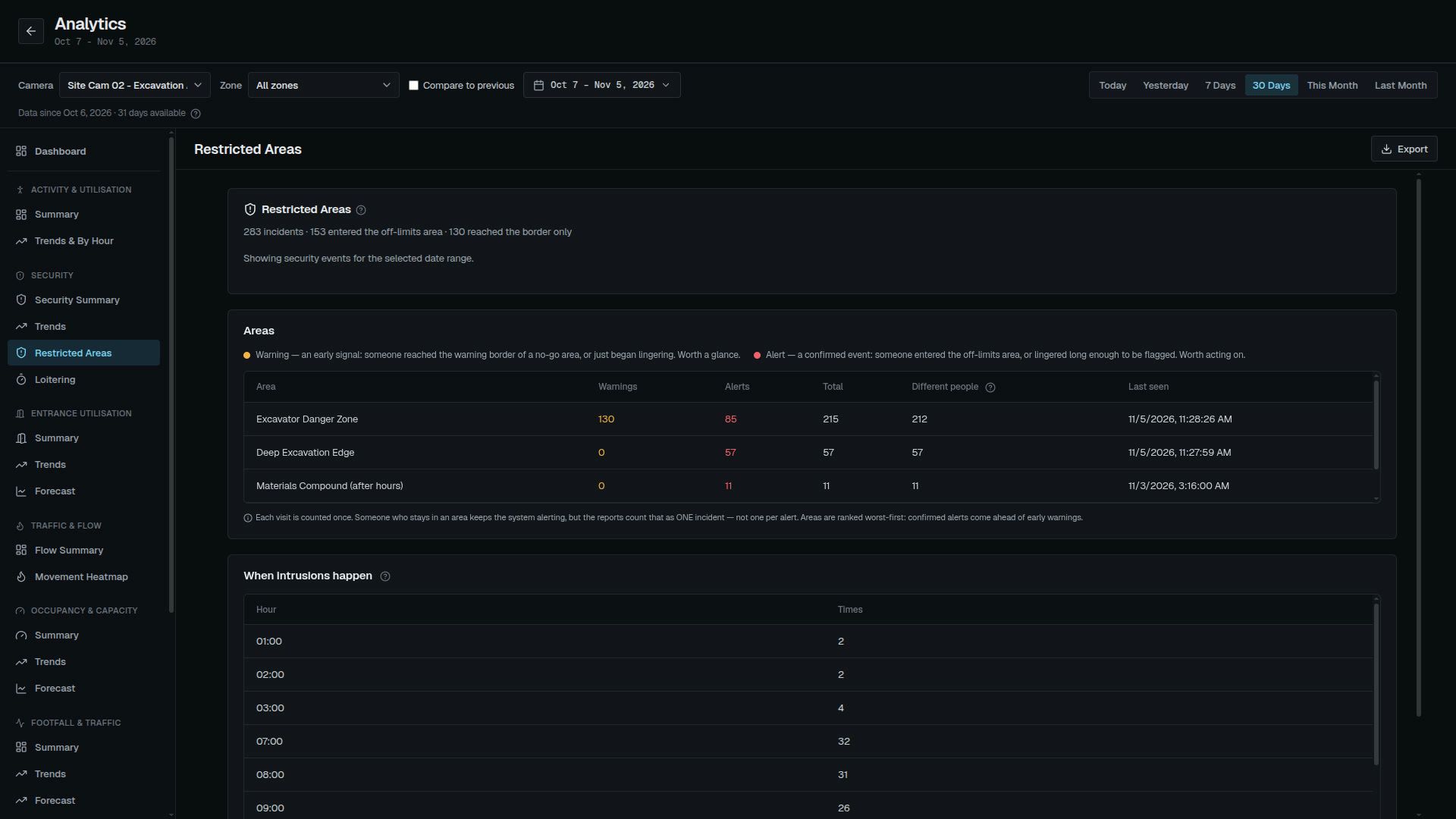
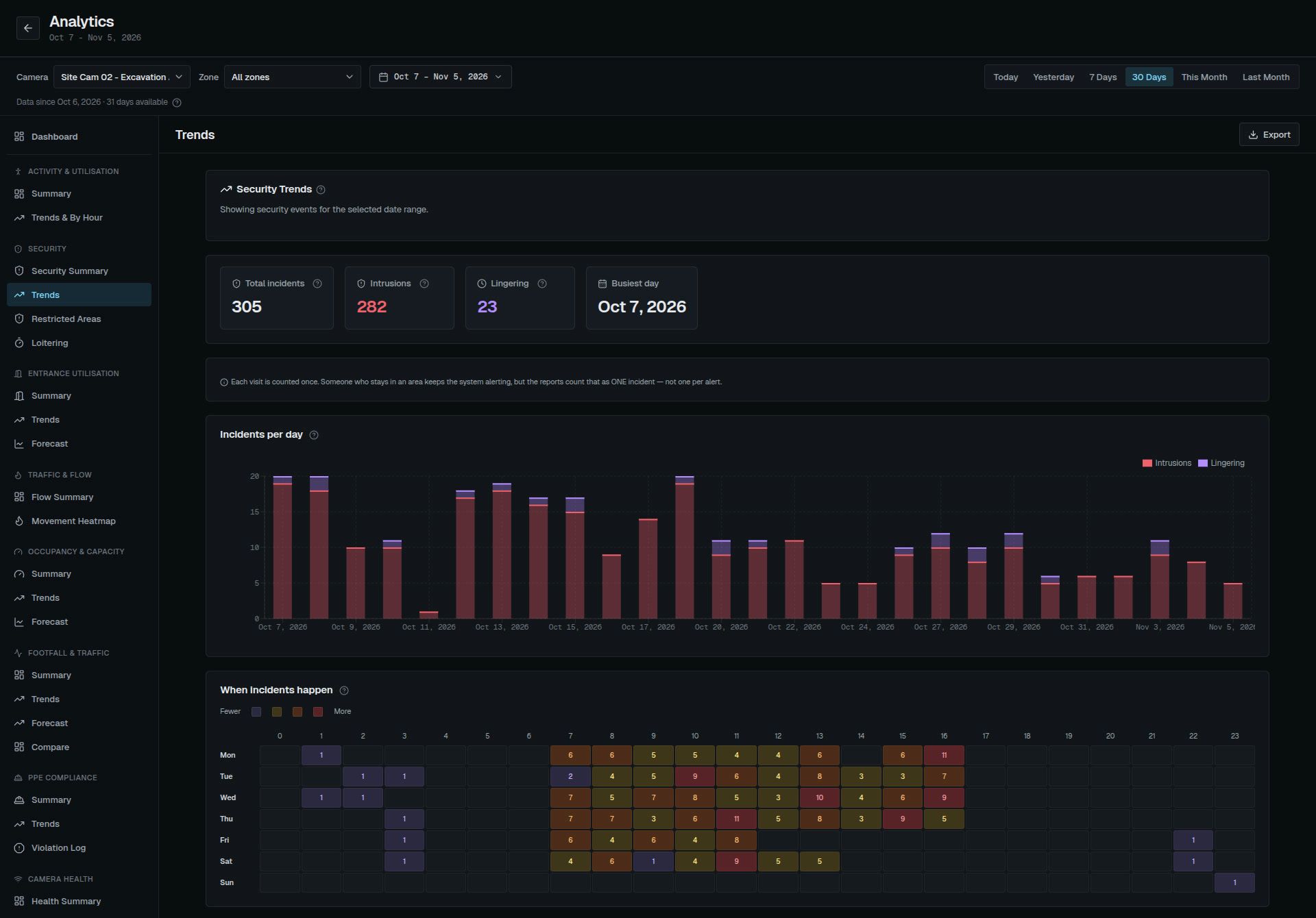
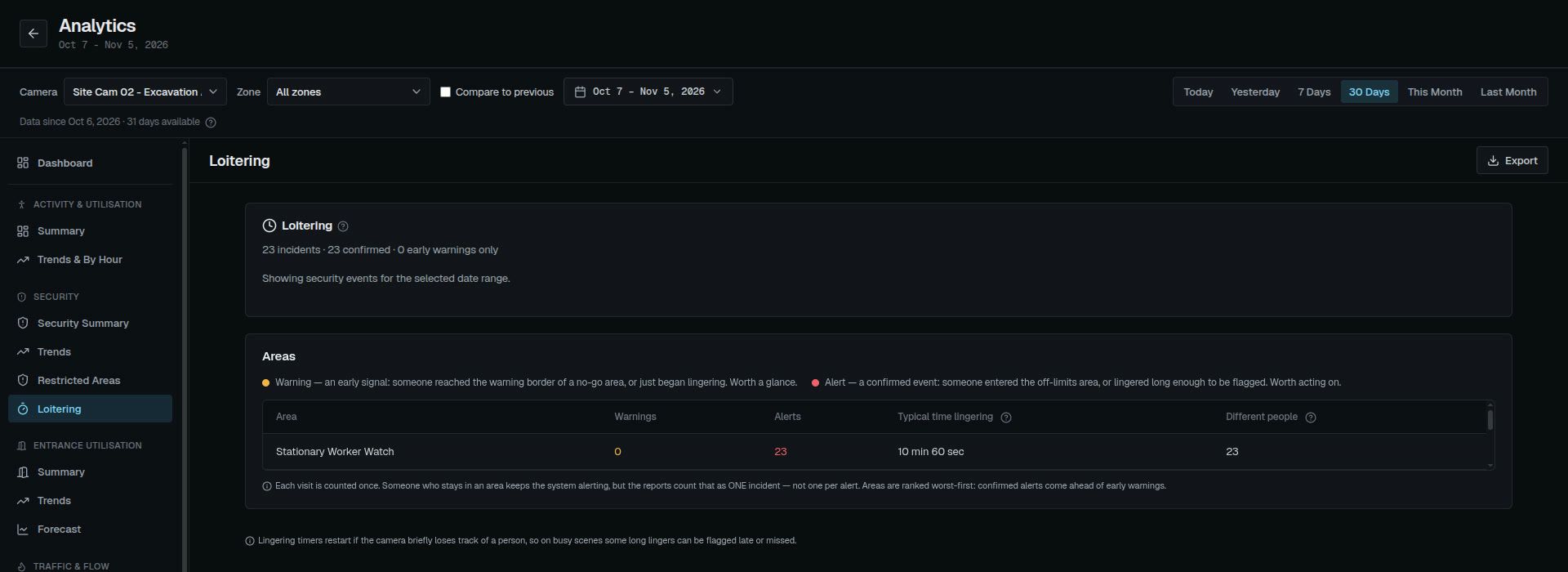
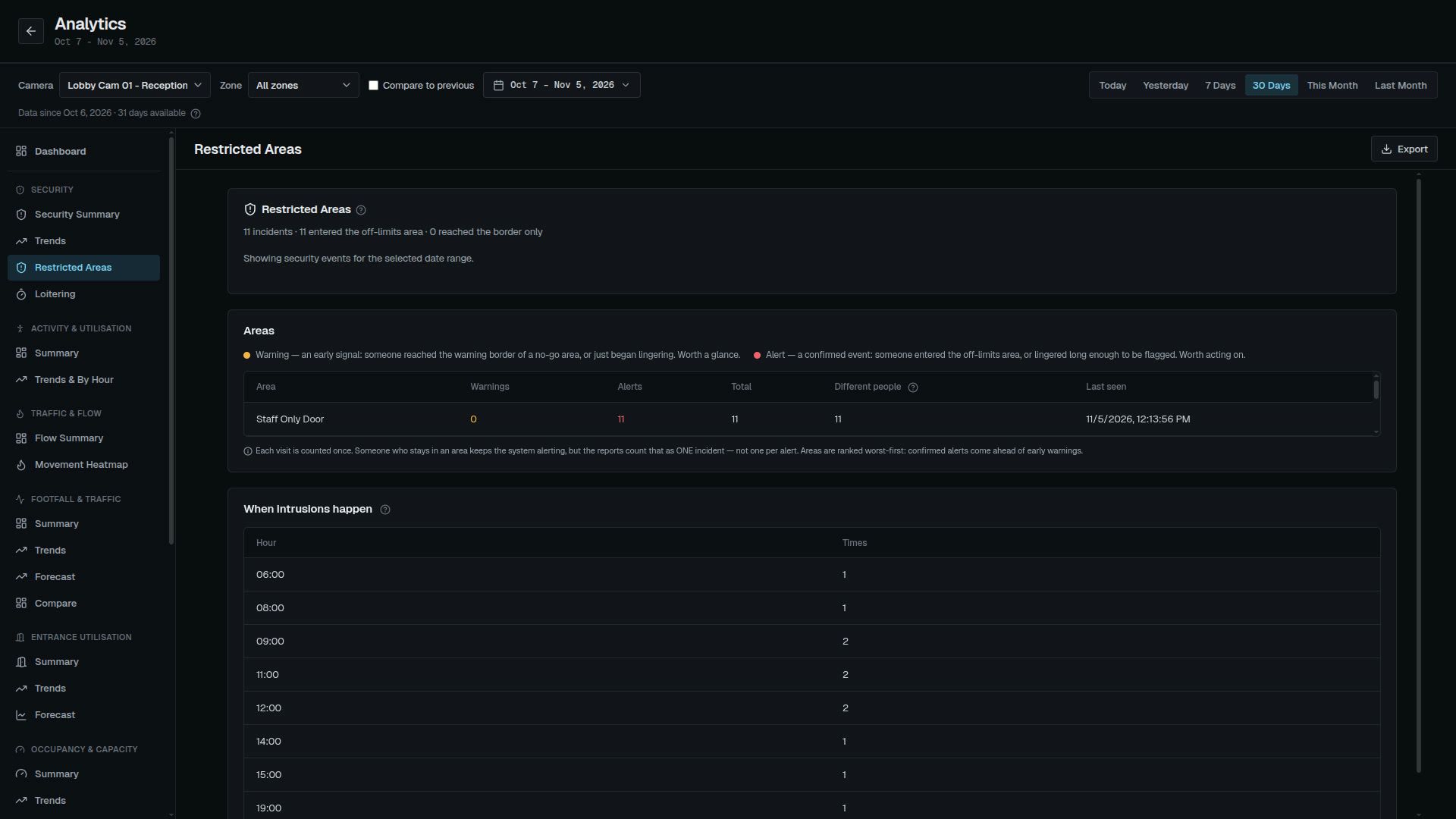
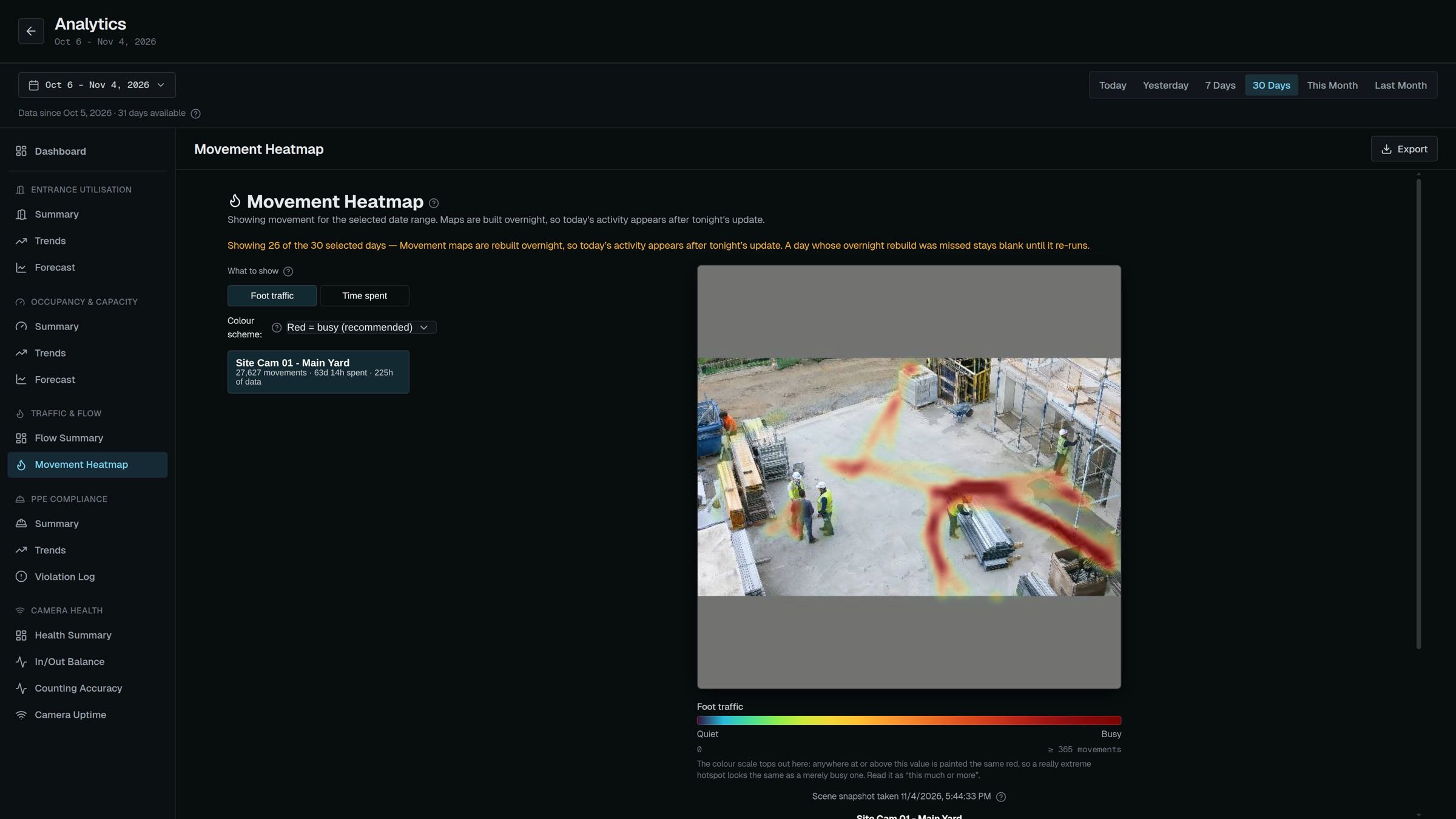
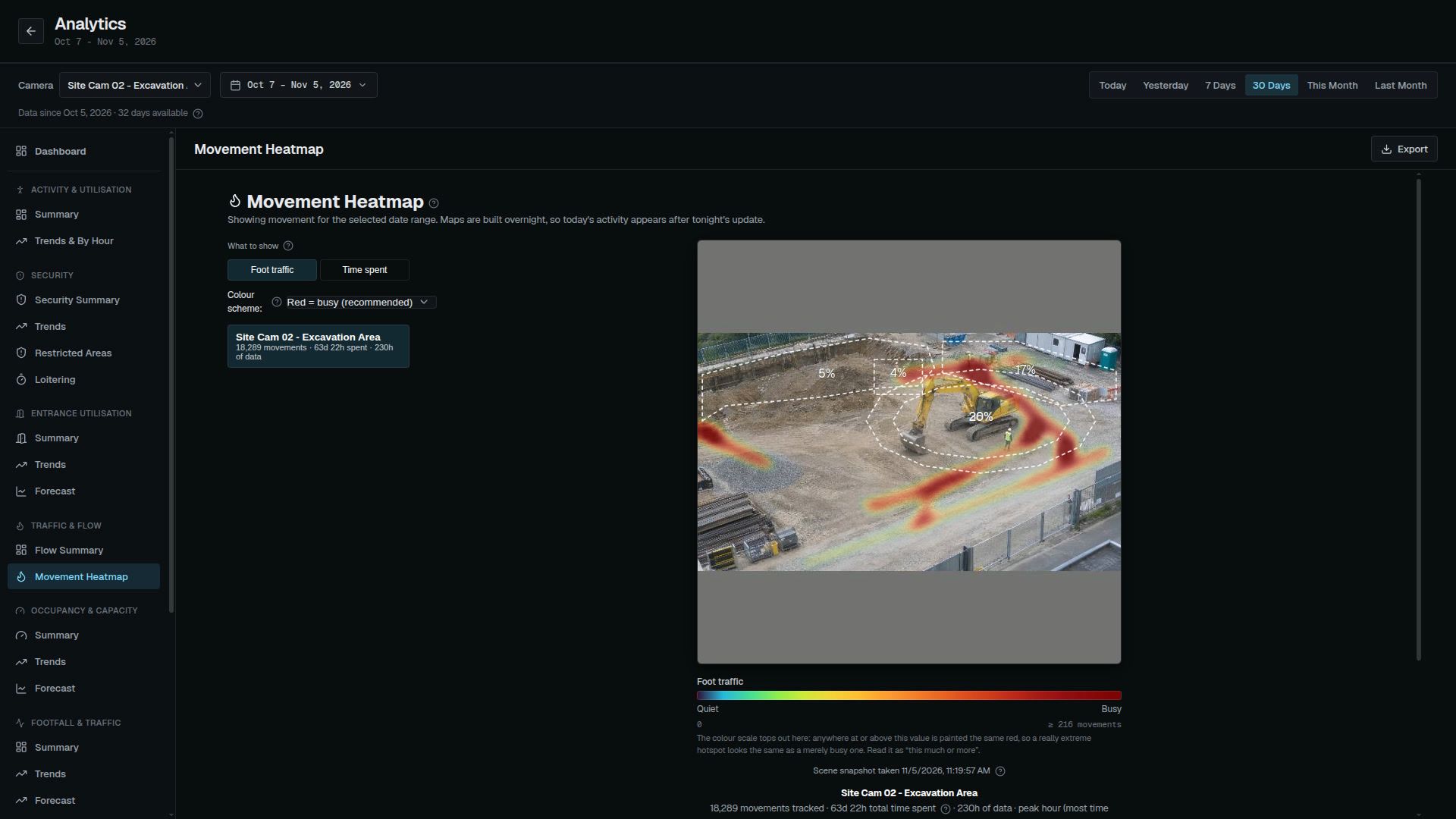
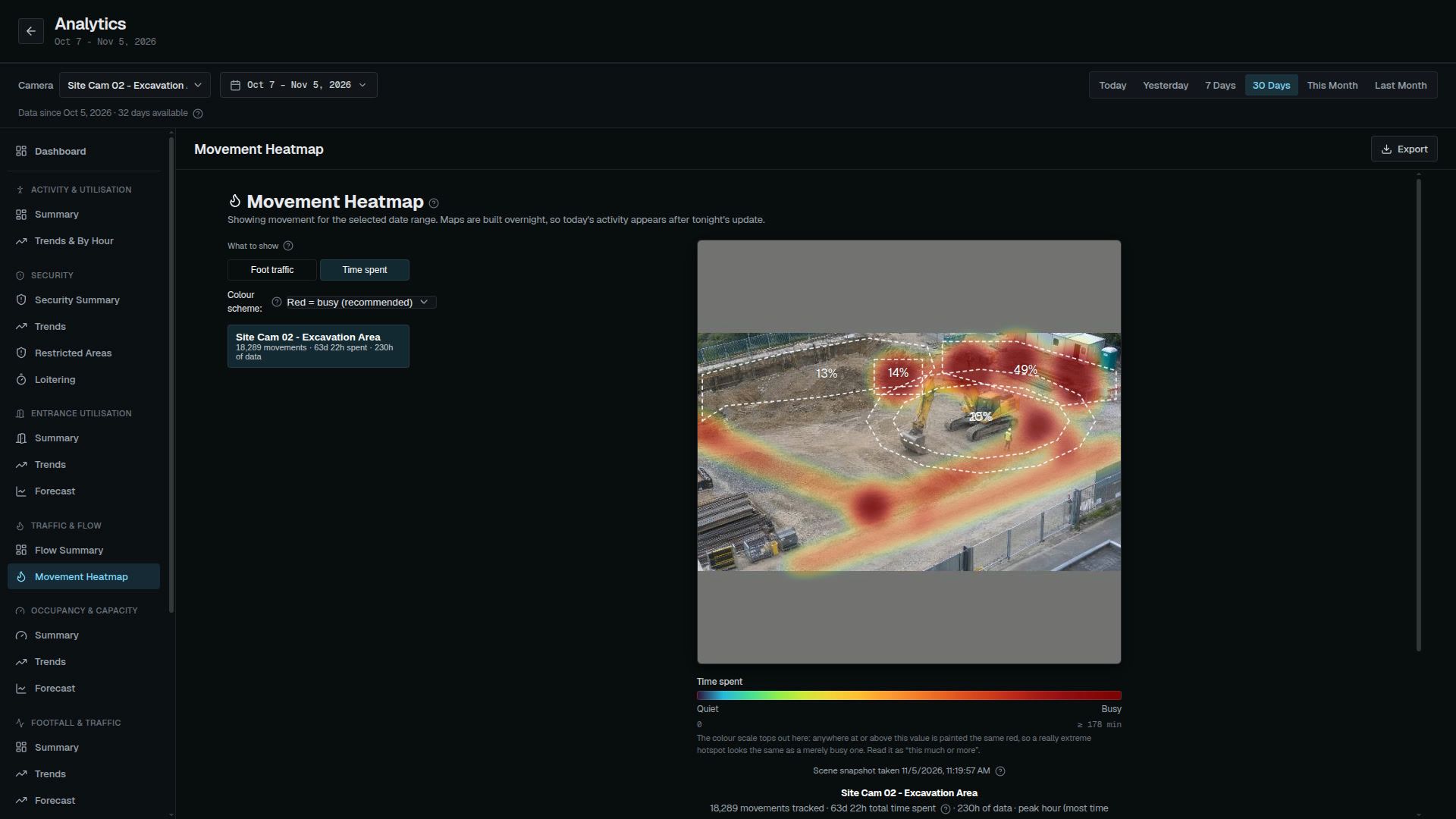
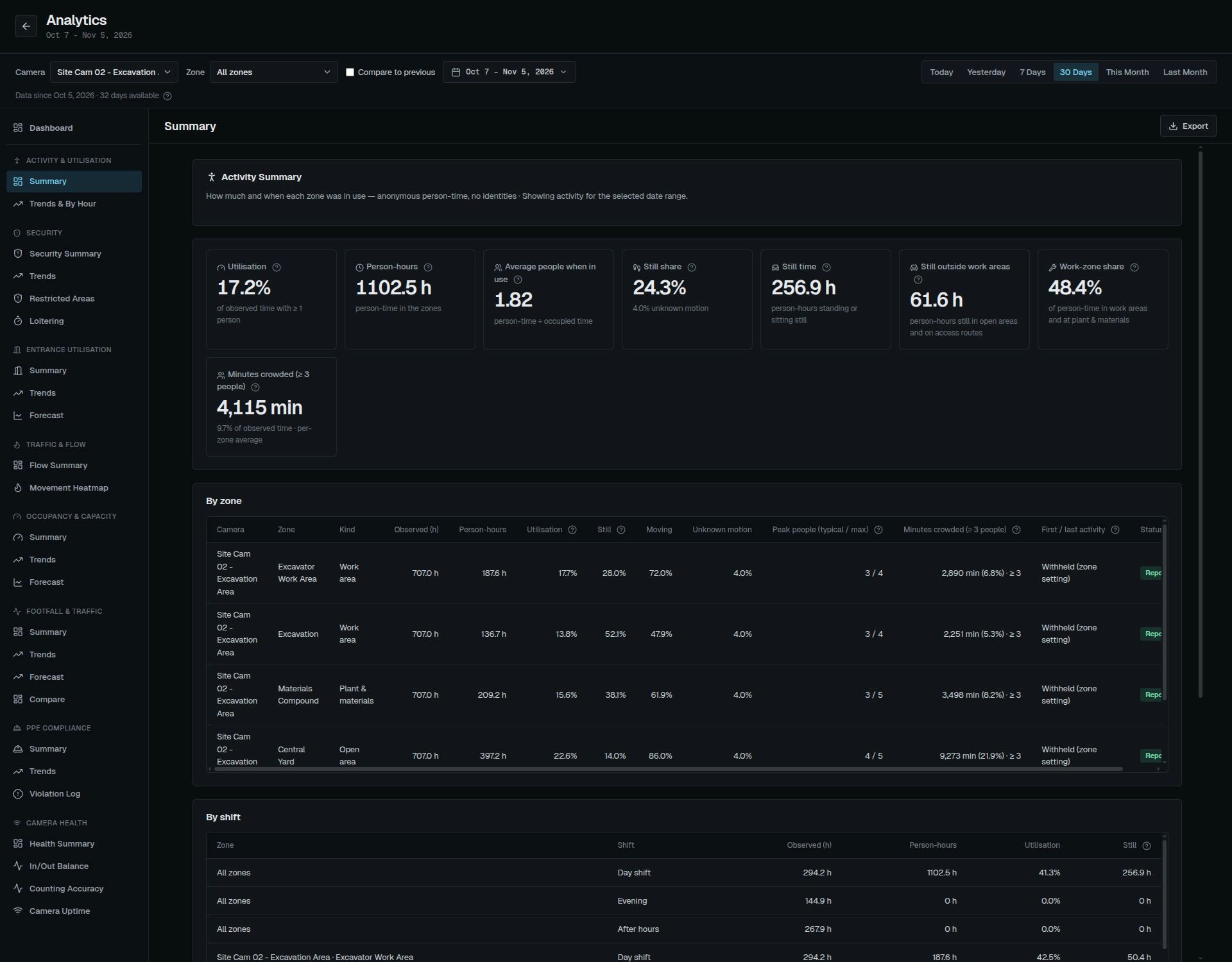
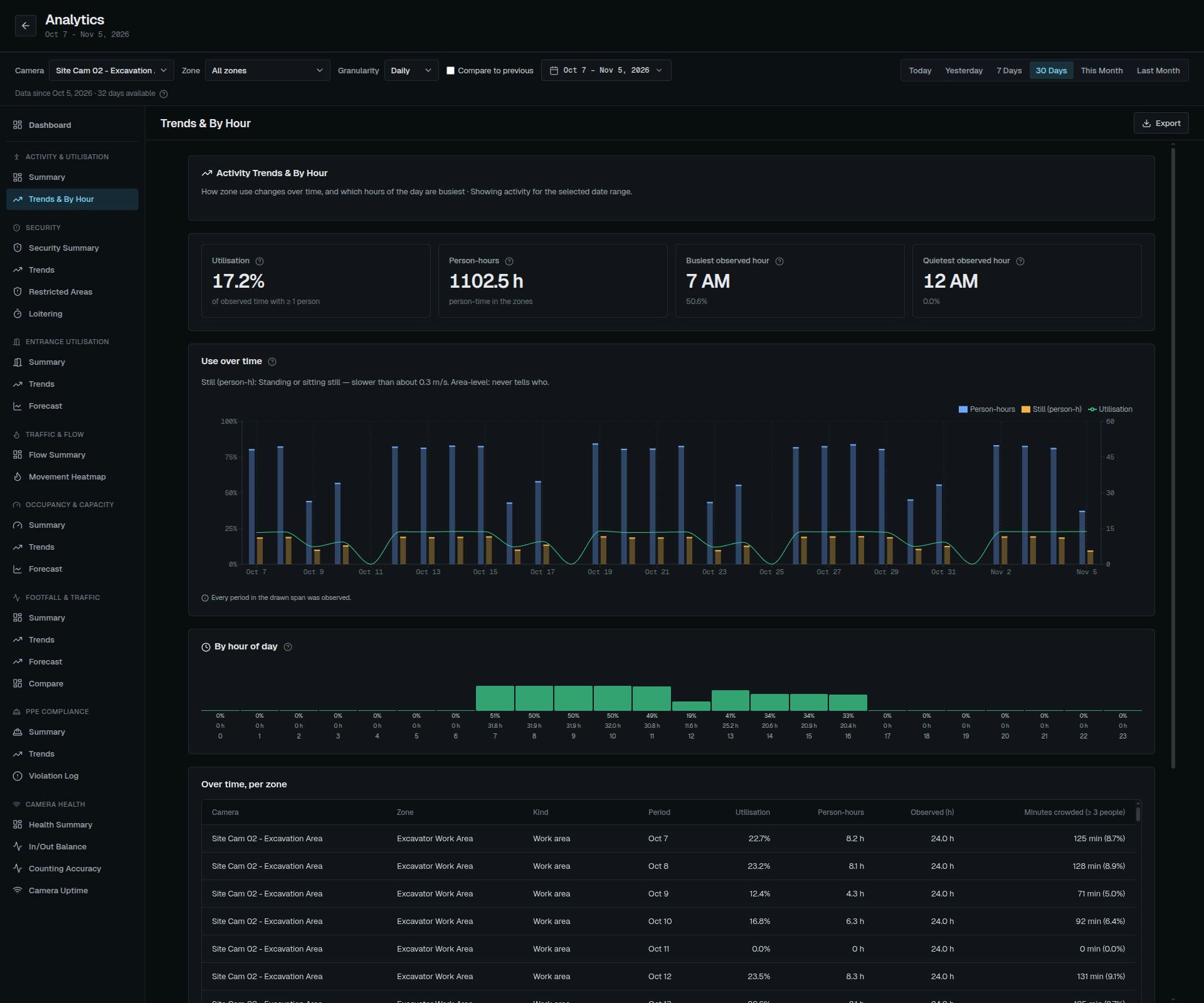
Real AI Watch screens. Only the camera footage is AI-generated, for the demo and for privacy — every detection, count and alert is produced by the software.
Capabilities
In practice
Illustrative examples of how the modules work together.
A restricted-area alert reaches the supervisor at once.
An intrusion alert goes out by SMS — even with no internet on site.
An approach warning first, then a restricted-area alert to the supervisor.
Sara lists the night’s alerts in seconds, from the recorded events.
More use cases
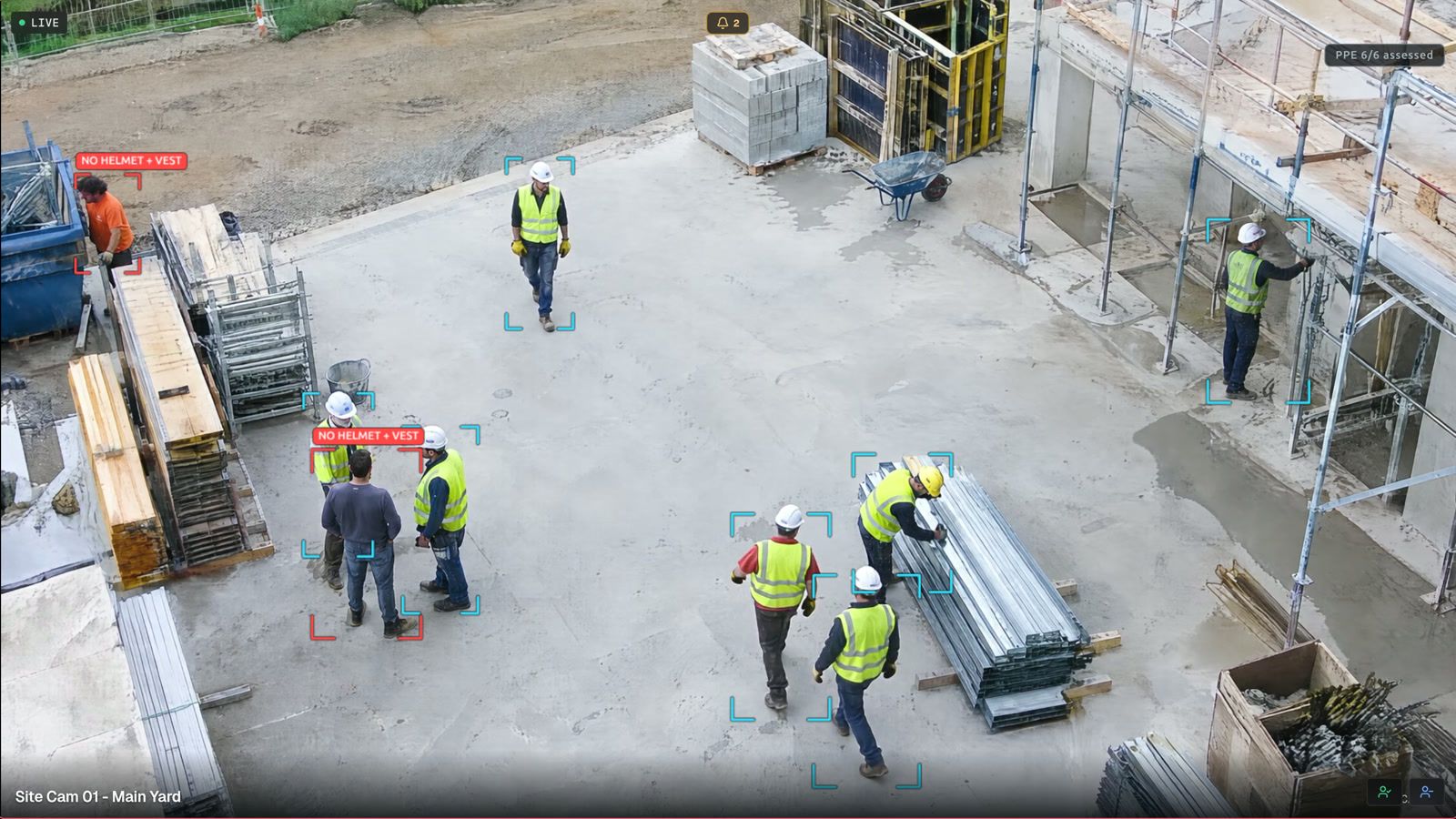
Helmet and vest checks with evidence photos
Learn more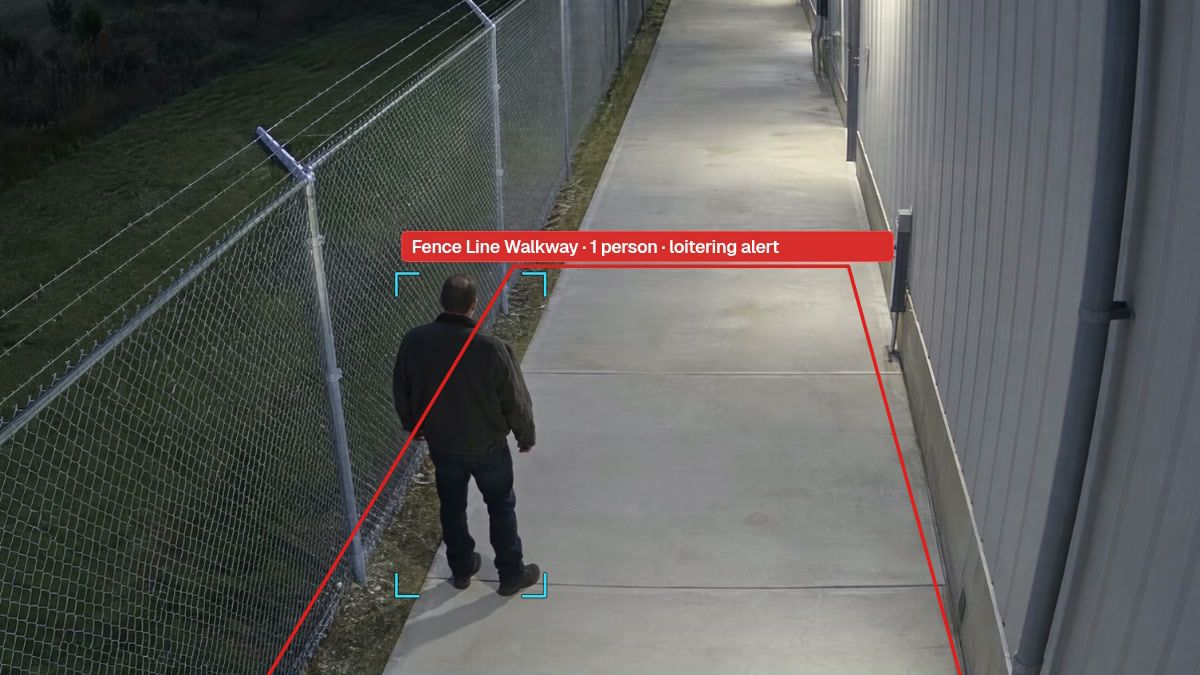
A warning, then an alert, when someone stays
Learn more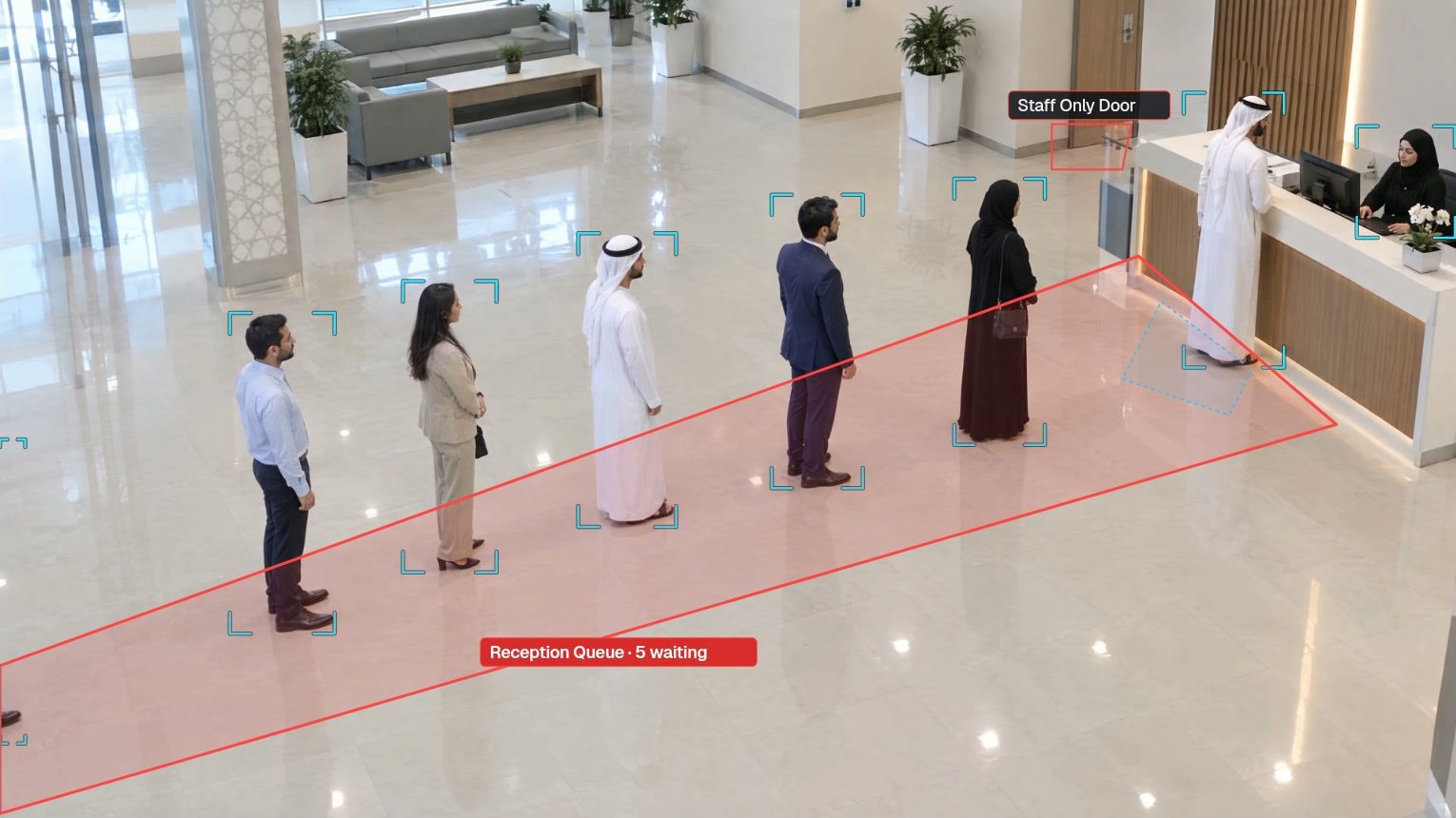
Queue length, wait times, forecasts
Learn more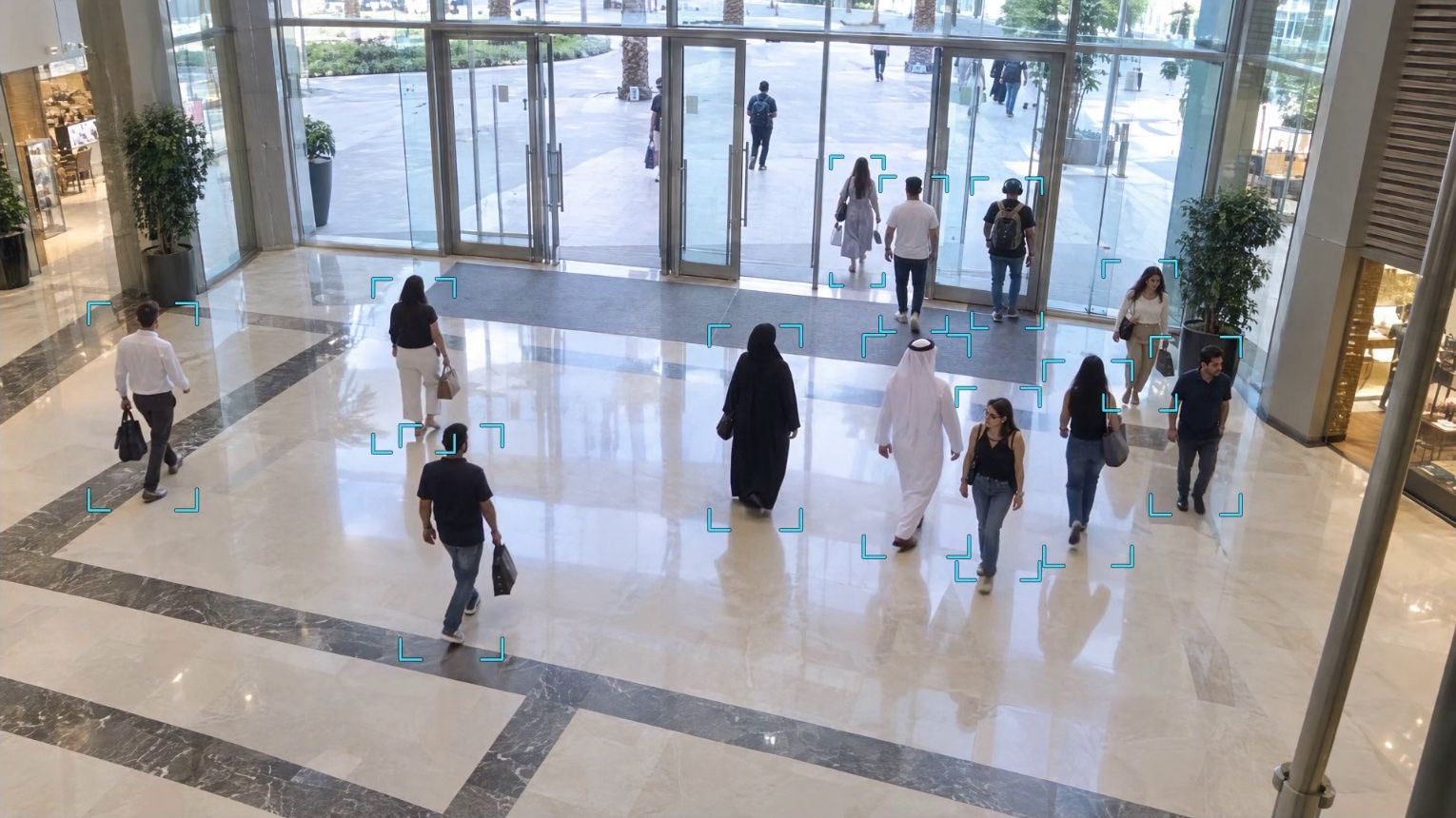
Footfall, occupancy, busiest hours
Learn more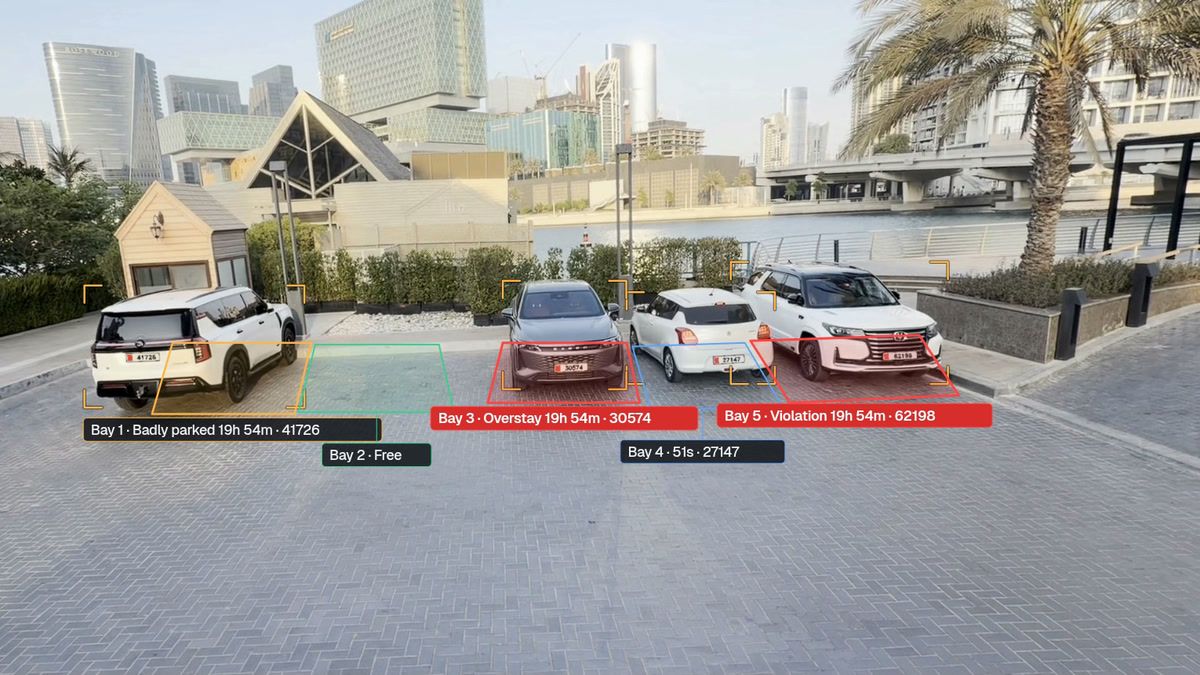
Free bays, permits, plates, overstays
Learn moreReady to start?
We’ll show you AI Watch on scenes like yours and talk through what your site needs.
We would like to use Google Analytics cookies to understand how visitors use this site. No data is sent to Google unless you agree. Privacy policy